


trivago: Compare hotel prices
4.56.06K Reviews
App Specs
- Version
- 6.65.0
- Updated On
- License
- Free
- Downloads
- 100,000,000+
- Developer
- trivago N.V.
- Categories
- Travel & Local
- Platform
- Android, iOS
Screenshots

 Analysis by AppCompare
I use trivago: Compare hotel prices as a starting point when I want to understand the range of hotel options for a trip, rather than as the place where I finish a reservation. That distinction matters: the app brings offers together for comparison, then sends me to a booking provider to complete the purchase. For a traveler who wants to check several options without opening a pile of separate sites, that can make the early planning stage much easier.
Where it fits in a hotel search
Hotel shopping can get messy when the same stay appears on different booking sites with different prices or conditions. trivago, a free travel and local app from trivago N.V., is built around comparing those offers in one search. Its current version is 6.51.0, and it draws on more than five million accommodation deals from major booking sites. I find that breadth most useful for getting a quick sense of what is available, not for assuming the first low price is automatically the best choice.
The app has a 4.4 average rating from around 358,000 ratings and more than 100 million installs. It is rated for Everyone, and its listing dates back to December 3, 2010. Those figures show that it has a broad audience and a long history, but they do not settle the practical question: does it make this particular hotel search easier? For me, the answer depends on how flexible I am about the property and how carefully I check the booking details.
Guides and Analysis on trivago: Compare hotel prices
Getting Started with trivago
First off, the installation was a breeze. Just a quick download from the App Store, and I was ready to dive in. The first thing I noticed was the clean and intuitive interface. It’s super easy to navigate, which is great because who wants to spend ages trying to figure out an app when you could be planning your next adventure?
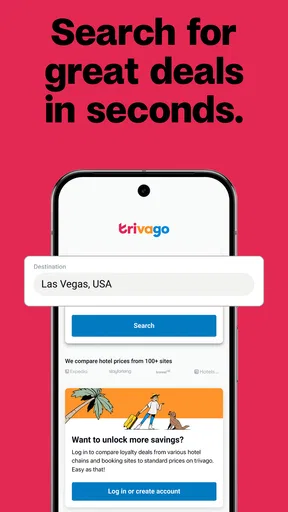
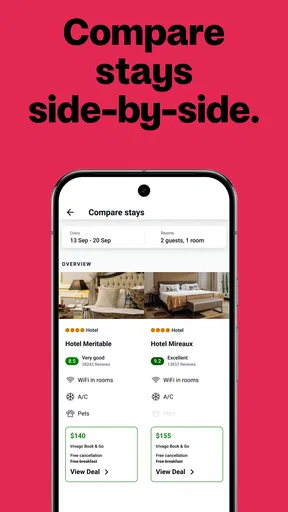
Once you open trivago, you’re greeted with a simple search bar. Just type in your destination, select your dates, and boom—you’re off to the races. The app pulls data from tons of different booking sites, so you can see all the options in one place. It’s like having a hotel buffet right at your fingertips.
Features That Stand Out
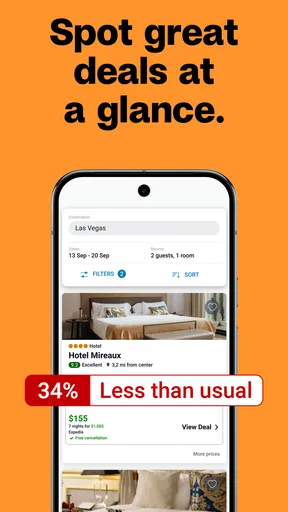
What really caught my eye were the filters and sorting options. You can sort by price, distance, rating, and more. Plus, if you’re a bit picky about your accommodations (no judgment here!), you’ll love the detailed filter options. Want a pool? Check. Need pet-friendly? Done. You can even filter by guest rating, which I found super helpful.
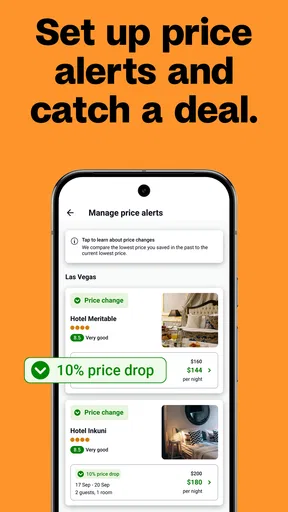
Another neat feature is the price comparison graph. It shows you how hotel prices change over time, so you can decide if you want to book now or wait for a better deal. I found this particularly useful when I was planning a weekend getaway and was on the fence about the timing.
Worth Reading Before You Choose

QuizzLand Review: A Good Fit for Short Trivia Breaks, Not Every Player

Basketball Stars: Multiplayer Is Fast, but Can It Recover When Matches Go Wrong?

WEBTOON Turns Phone Updates Into a Better Reading Routine

Link to Windows Runs on Shared Habits, Not Social Feeds

How Alibaba.com Dominates the B2B Marketplace

Metro's Quiet Rise: Redefining Mobile Communication
Making the shortlist work harder
The filters become more valuable when I use them to reduce the list in stages. I first set the practical limits—destination, dates, and a price range—then narrow by location or a must-have such as a pool. Leaving a little room at the start is useful: if I select too many preferences immediately, I can hide a suitable property before I understand what the area offers. I treat filters as a way to make a shortlist, not as proof that every result left is a perfect match.
For a family trip, I would check the room and property details on the booking provider before deciding that a result meets our needs. A hotel-level filter can help surface relevant options, but it does not replace checking the exact room type, occupancy rules, or conditions attached to a specific offer. The same goes for pet-friendly stays: I would confirm the provider’s terms for the property rather than assume that a filter settles every detail.
Comparisons need a like-for-like check
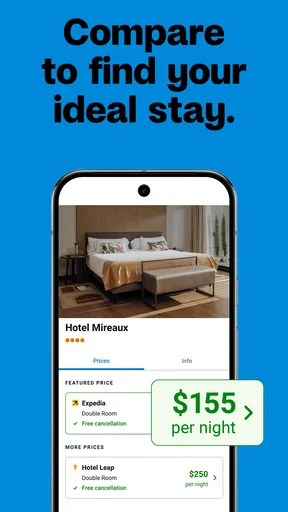
A lower figure is only useful if the offers describe the same stay. I compare the selected dates, room type, guest count, and cancellation terms before treating two prices as alternatives. If one offer has different conditions, the apparent saving may come with a trade-off that matters more than the amount. This is one reason I use the app to find candidates, then pause to inspect the individual offer instead of choosing purely by the price order.
I also find it helpful to search with a realistic location in mind. A property that looks inexpensive can be less appealing if it is far from the places I need to reach. Sorting by distance can help, but I still think about the daily route: a slightly different hotel location may change how convenient the trip feels. For a short stay, proximity to the main reason for traveling may be worth more than a small reduction in the nightly rate.
When I would use it—and when I would not
For a flexible weekend away, trivago is a handy first stop: I can scan possible properties, compare offers, and see whether changing my preferred area or dates gives me a better set of choices. It is also useful when I have a destination but no hotel in mind yet. By contrast, if I already know the exact property and have a preferred booking provider, I may find it quicker to check that provider directly and compare the final terms there.
It is less suited to anyone who expects to make the whole reservation inside one app. The handoff to an external booking site adds a step, and it means the provider’s page is where I need to verify the final conditions and complete the booking. That separation is not necessarily a drawback for comparing, but it does mean I would keep track of which provider I chose and read its checkout details before paying.
The Booking Experience
When you find a hotel you like, trivago redirects you to the booking site to complete your reservation. This might be a bit of a hassle for some, but I didn’t mind it. It’s pretty straightforward, and you get to see all the offers in one place before you make your decision.
In everyday use, I would keep the search and booking steps mentally separate. First I use trivago to discover and compare; then, after the redirect, I check that the destination, dates, guests, room, and cancellation conditions still match what I intended. If anything differs, I would stop and reassess rather than assume the comparison screen and checkout are interchangeable. That small pause is especially worthwhile when a trip has fixed dates or when plans might change.
How it compares with booking directly
Compared with searching booking sites one by one, trivago’s main advantage is convenience at the comparison stage. It can help me spot alternatives I might not have checked otherwise. Going directly to a hotel or booking provider can be better when I care about a particular provider’s terms, account benefits, or the exact handling of a reservation. I would use the comparison app to broaden the search, then consider a direct check before committing if the choice is close.
Neither route removes the need to read the terms. The amount shown in a result is a starting point for evaluation; the offer that matters is the one presented by the provider when I am ready to book. My practical rule is simple: compare the overall stay and conditions, not just the headline price, and make the final choice where the reservation will actually be handled.
Version, continuity, and what to watch
The current version is 6.51.0, but a version number alone does not tell me which parts of the experience have changed or how a particular search will behave. For existing users, the sensible expectation is continuity in the core task—searching and comparing accommodation offers—while checking the app after updates rather than relying on an old habit for every detail. I would pay attention to whether results remain relevant to my dates and whether the booking handoff clearly preserves the options I selected.
That is also the most useful thing to watch over time: not a promise of a specific future feature, but whether comparison remains clear when offers come from different providers. Travelers should still expect to make their own judgement about room conditions and booking terms. The app can help organize the search; it cannot decide which trade-off is right for a particular trip.
Final Thoughts
In a nutshell, if you love traveling and are always on the hunt for a good deal, trivago: Compare hotel prices is a must-have app. It’s user-friendly, packed with features, and makes hotel hunting a much less daunting task. Sure, you have to jump to external sites to book, but the comprehensive search and comparison features make it worth the extra step.
So, give trivago a spin on your next trip. Who knows, you might just save enough on your hotel to splurge on that extra fancy dinner you’ve been dreaming about. Happy travels!
Pros
- User-friendly interface simplifies hotel search.
- Comprehensive filter options enhance search precision.
- Price comparison across multiple booking sites.
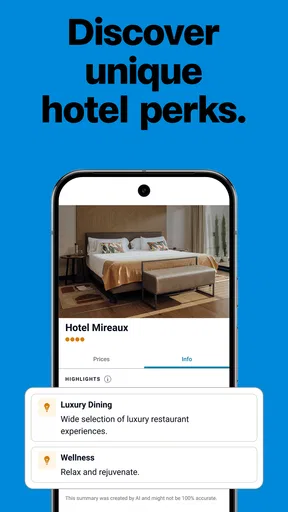
- Access to detailed hotel reviews and ratings.
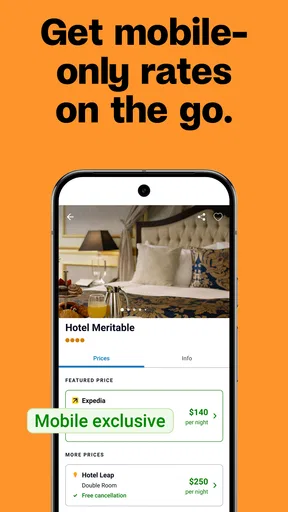
- Offers mobile-exclusive deals and discounts.
Cons
- Limited customer service support options.
- Occasional discrepancies in room availability.
- App updates can be infrequent.
- Some listings lack complete information.
- Can't book directly through the app.
FAQs for trivago: Compare hotel prices
What is trivago and how does it work?
Trivago is a hotel search and price comparison app that allows users to compare rates from various booking platforms. By entering your travel details, trivago searches hundreds of websites to present you with the best deals available. It simplifies finding the perfect accommodation by displaying comprehensive options and prices in one place.
Is trivago free to use?
Yes, trivago is completely free to use. The app does not charge any fees for searching or comparing hotel prices. Instead, trivago earns revenue through advertising and by redirecting you to booking sites. You pay only when you book a hotel room through one of their partner platforms.
Can I book a hotel directly through trivago?
No, trivago is not a booking site. It serves as a search engine that compares hotel prices. Once you find a hotel deal you like, trivago redirects you to the respective booking site to complete your reservation. This means you’ll need to finalize your booking and payment with that third-party provider.
Does trivago offer customer support for bookings?
Since trivago does not handle bookings directly, they do not offer customer support for issues related to reservations. For any questions or problems with your booking, you need to contact the booking site where you completed your reservation. Trivago provides links to these sites for additional assistance.
How accurate are the prices displayed on trivago?
Trivago strives to provide up-to-date and accurate pricing by constantly updating their search results. However, prices may vary due to factors like currency changes or real-time availability fluctuations. It’s always a good idea to verify the final price on the booking site before confirming your reservation.


